Company News
Introducing Canvases: Where the Conversation Becomes the First Draft
Aaron Klein, Founder

We don't write our product specs from scratch anymore
People ask how a team our size ships as fast as we do. Here's one big reason: we stopped writing our product specs from scratch.
It used to go like this. We'd get the team together to figure out a new feature: what to build, what to cut, what mattered. We'd disagree, push on each other, work it out. That conversation would happen across six or seven meetings over a few weeks. Normal, messy product work. And then, at the end, one person had to go stare at a blank page and rebuild the entire conversation from memory into a spec engineering could actually use.
That first draft was ninety percent of the work. The grind.
Now I finish the product meeting, click my Next Step called "Draft a product spec," and Contio opens a new Canvas in MeetingOS with the whole thing already written. It pulled not just from that meeting, but from the five other meetings we'd had about the feature, two of which I wasn't even in. I didn't dig any of it up. Contio pulled it together from across our workspace.
I do the last ten percent — the judgment, the edits, the calls I actually need to make. Then it's ready to hand to engineering.
The blank page is where momentum dies
Everybody knows the feeling. The meeting was great. Real decisions, real momentum. And then it's just you, a blinking cursor, and the job of writing the whole thing up. Hours or days later. From memory.
On my team, one of those artifacts is a product spec. For you it might be a proposal, a project plan, a client follow-up. The artifact is different. The blank page is the same. And it's the heavy lift that comes after the meeting. The real work that gets delayed or done at 11pm.
Other tools hand you notes after the meeting. Canvases hand you the first draft: the plan, the proposal, the follow-up, crafted from the conversation itself.
What a Canvas actually is
A Canvas turns your meeting into the first draft of the work, right inside MeetingOS. The difference is where it starts: the draft is already written. Contio AI takes the lead, turning what was said in your meetings, along with every relevant email and document you've connected, into the thing that comes next.
From there it's a full editor. Write and format with rich text: headings, lists, quotes. Paste in Markdown and it converts automatically. Ask Contio's AI to draft, rewrite, or reorganize any section. Search across every Meeting in your workspace or Canvas you've ever created, by keyword or by meaning. Work alongside your teammates in real time.
A Canvas doesn't think in isolation, either. It draws on your organization's meeting history and your connected email, plus anything you add through the Context Drawer: upload documents (including from cloud storage), drop in links, or pull in other meetings and Canvases. So the proposal you're drafting today can pull from the strategy session last Tuesday, the client call from three weeks ago, and even meetings you didn't attend. The more you use MeetingOS, the smarter every Canvas gets.
From draft to done
A Canvas is where the first draft gets created. It doesn't replace Microsoft Word or Google Docs. It comes before them. When you've shaped the draft into something you're happy with, send it where it needs to go: save it as a Google Doc (coming soon), a Word file, or Markdown, or send it as an email. Contio creates the draft. Your doc tools take it the last mile.
How to start one
There are two ways to get started, and the best option asks nothing of you.
When a meeting wraps, trigger a Next Step and Contio drafts the Canvas for you, from what was actually said. Open it and the first draft is already there. (Next Steps are coming very soon.)
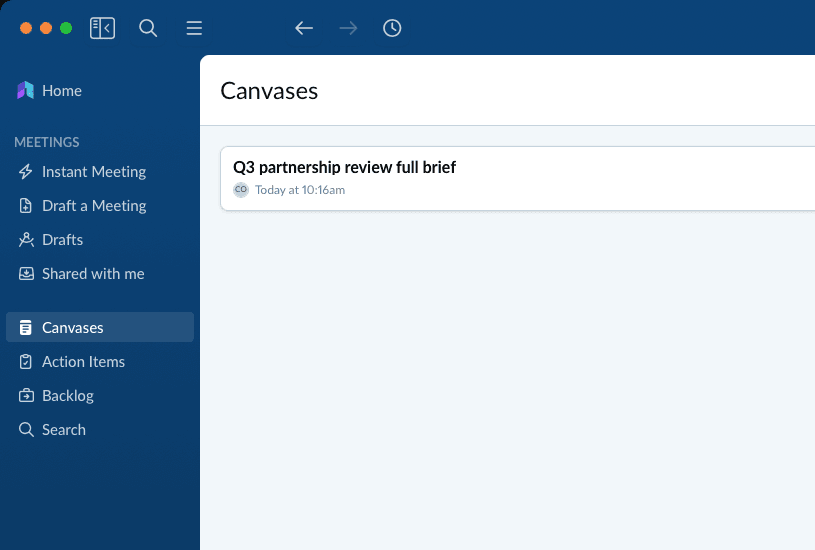
Or start fresh: In MeetingOS, open Canvases from the left nav, create a new one, and write, paste, or ask Contio's AI to draft from any of your meetings. The blank page fills itself as fast as you can ask.
What you need to know
Canvases are rolling out now. If you're already using MeetingOS, there's nothing to set up. You'll find Canvases in your left nav, ready to go.
Every plan, including Free, can create and edit Canvases by hand. AI-powered Canvases, where Contio writes the first draft from your meeting and rewrites any section on request, are included in the Pro, Elite, and Enterprise plans (see Plans and Pricing).
If you haven't tried Contio yet, it's free to sign up, and it only takes a couple of minutes to set up. Connect your calendar and your next meeting can write its own first draft.
Start turning what gets said into what gets done with Canvases.
—Aaron
Microsoft and Microsoft Word are trademarks of the Microsoft group of companies. Google Docs is a trademark of Google LLC.